
Less hand, more wand.
Everything your Quad Cortex can already do, minus the hours of doing it by hand.
Reorder setlists and merge presets into scenes. Coming next: swap blocks across presets, batch edits and more.
In beta. Windows only for now; macOS later. Free, with no paid tier.

Setlists
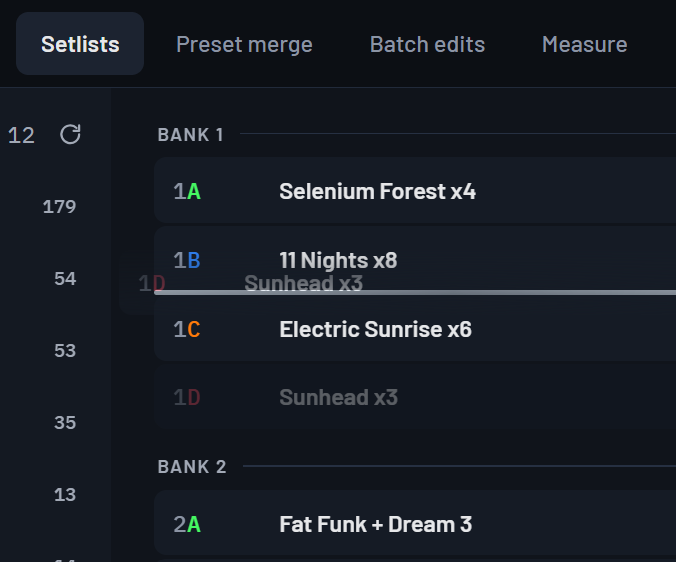
Every setlist with all its slots, as a list or as banks, the way your device shows them.
- Drag to reorder: insert, swap or replace.
- Rename, delete, set the instrument, load a preset.
- Everything stays a draft until you save, with undo, redo and discard.
- Save in place, or as a new setlist.
Preset merge
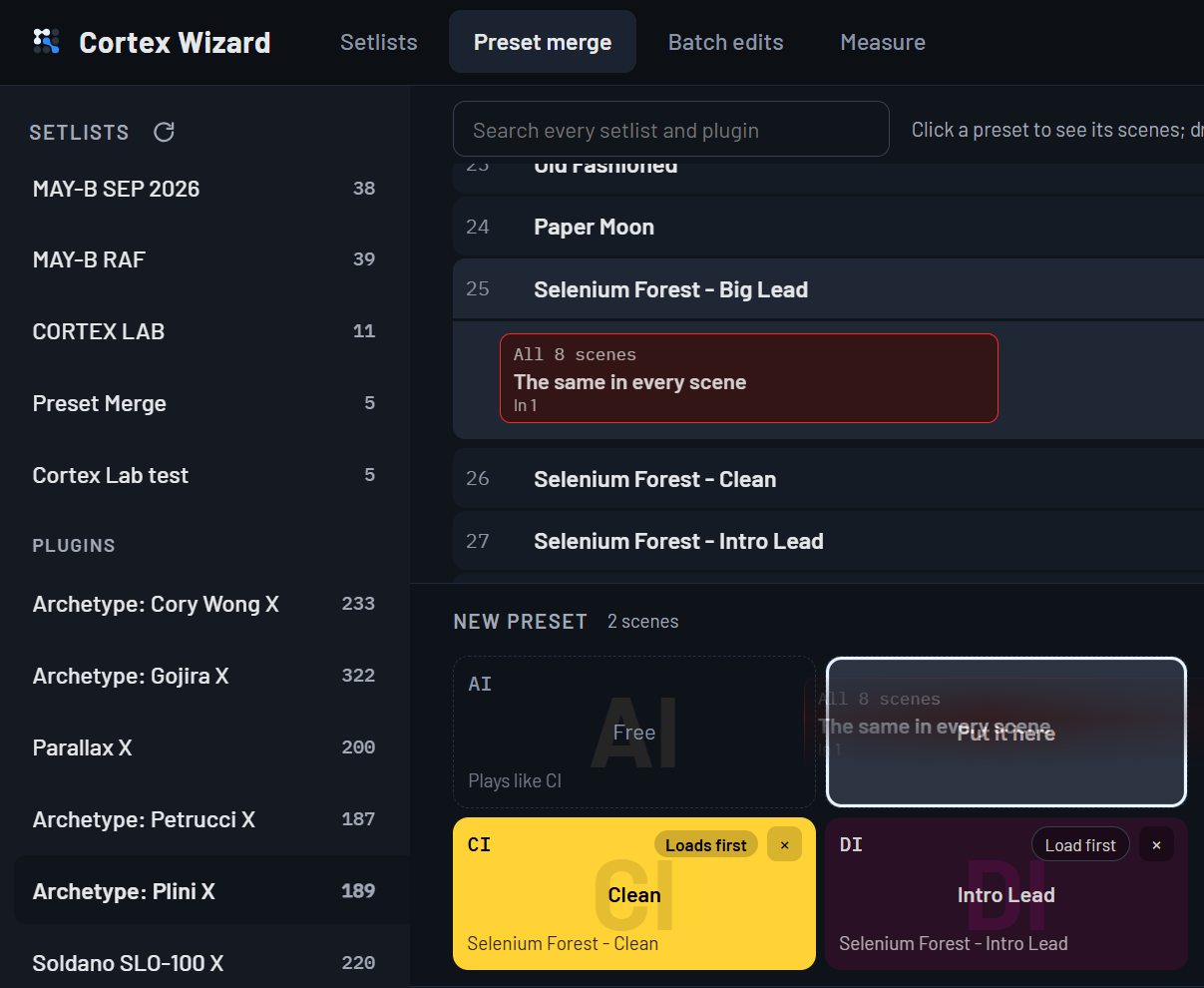
Scenes taken from several presets become one preset with scenes: from your setlists, or from the plugins you own.
- Click a preset to see its scenes; drag a scene onto the new preset.
- The app works out how to build it and tries it on your device first.
- It checks every scene, measures the CPU, and tells you where footswitches and pedals behave differently from the sources.
- It saves into an empty slot. It never overwrites a preset.
What you need
- Windows 11.
- A Quad Cortex or a Quad Cortex mini with CorOS 4.1.x, connected over USB.
- Cortex Control closed while the app works. The app checks and tells you.
How it keeps your presets safe
- Every operation is simulated first. Name clashes, occupied slots and empty sources are reported, and nothing is written if anything is wrong.
- Whole presets are moved with the device's own copy and move, never rebuilt from pieces, so MIDI, tempo and expression settings travel with them.
- Each write is confirmed by the device's reply, and the result is read back at the end.
- Deleting a setlist deletes every preset in it: the app asks you first, every time.
Questions
Is it official?
No. Cortex Wizard is an independent project, not affiliated with, endorsed by or supported by Neural DSP.
How does it talk to the Quad Cortex?
Over USB, with the same protocol Cortex Control uses, as documented by the community project qc-mcp. A CorOS update can change that protocol; the app is tested on one CorOS version at a time.
Windows warns me before installing. Why?
The beta installer is not yet signed, so Windows SmartScreen shows a warning; choose "More info", then "Run anyway". Some antivirus programs flag apps built this way by mistake. Download it only from this site.
Does it cost anything?
No. It is free, and it will stay free.
What about macOS?
It is planned, after the Windows beta.